With Build 2023, Microsoft presented Git integration for Power BI workspaces (and later desktop, using pbip files and VS Code), but with workspaces in premium (PPU or PPC) you can already work with it! Let me show you how!
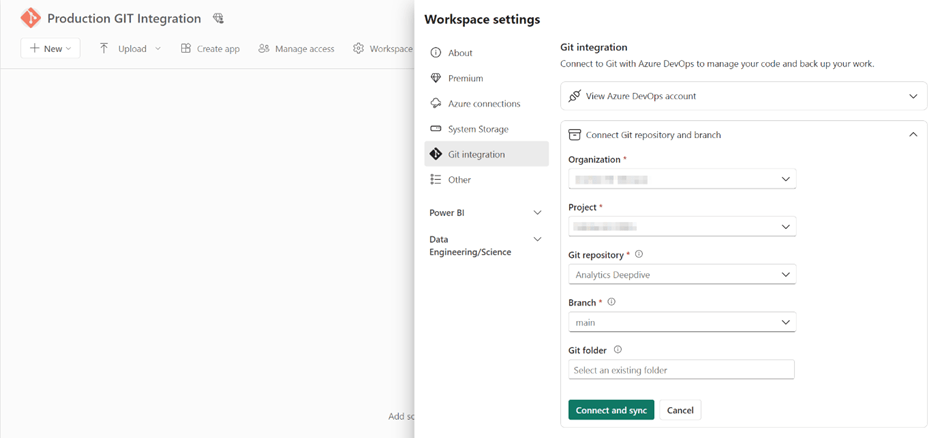
In the Power BI Service I create two workspaces, one “production”, one “Testing”. In the workspace settings, I can connect to my Git account, where I set the Production one to my Main branch, and the testing one to another:
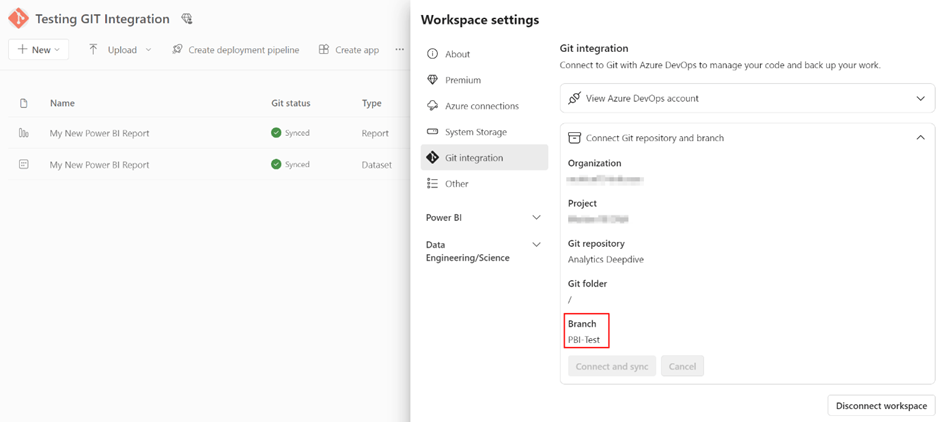
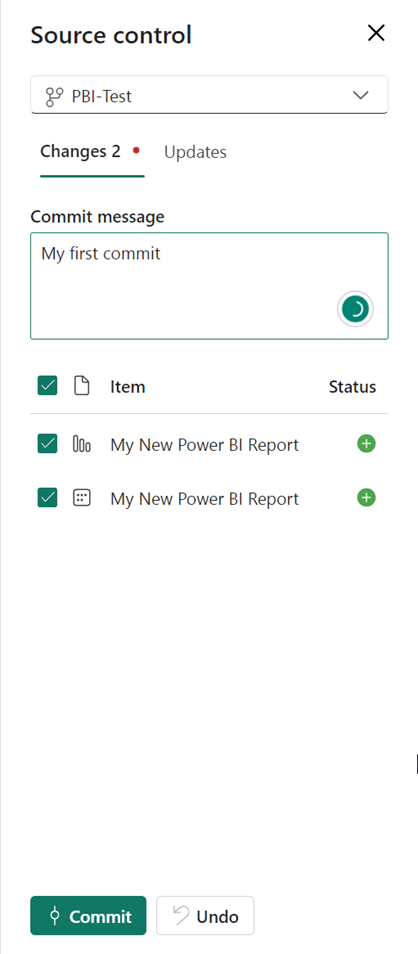
After that, I create a very simple report and publish it to the Testing environment. You can see that the Source Control icon says there are two new items that need to be committed to Git:

I select the items I want to add, fill some comment and press commit:
After committing, you will see two new folders in the Branch, Report.Dataset and Report.Report:
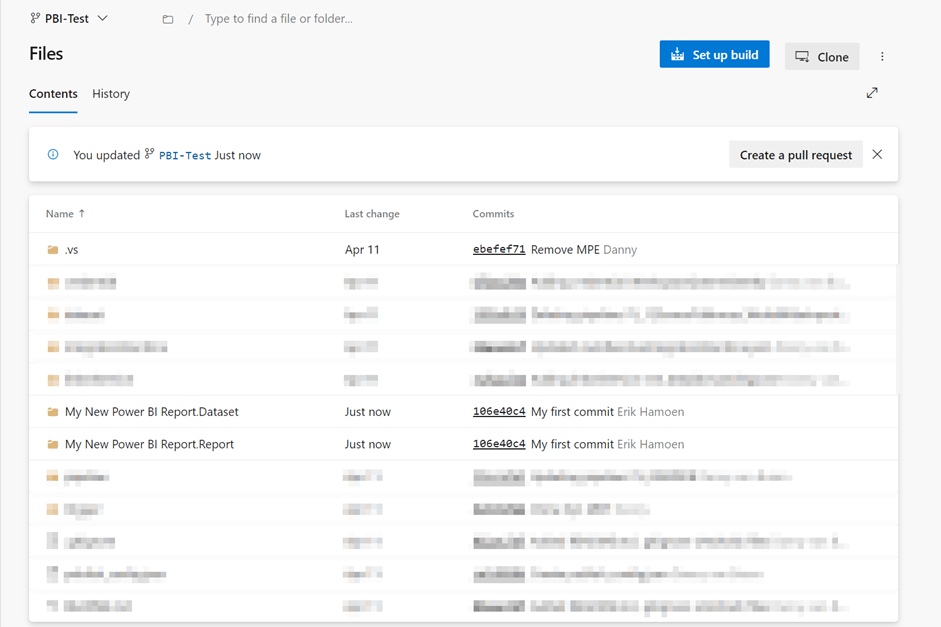
Inside these folders are the necessary files:
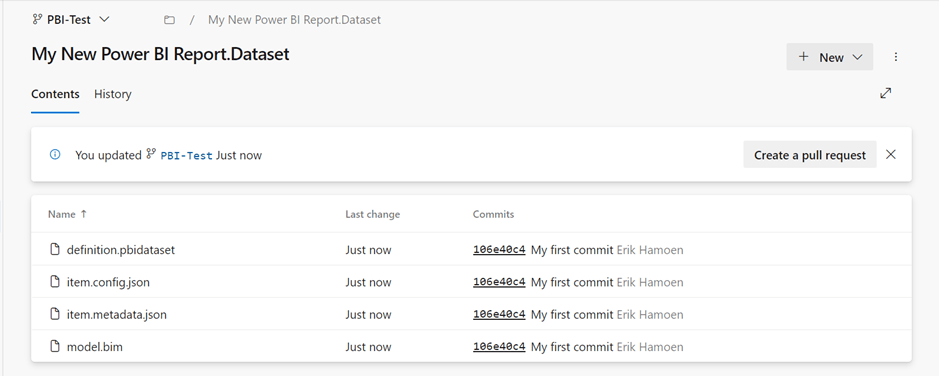
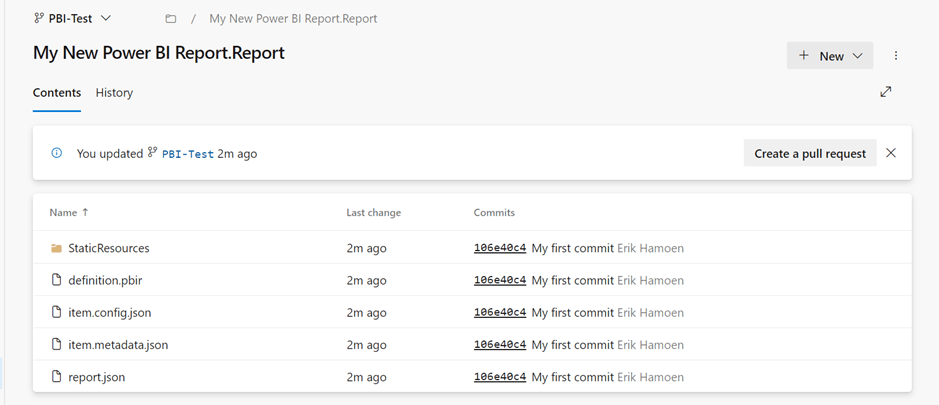
So, we can see it works! Now I’ll change something in my report (change my table view to a pie chart) and publish it to the workspace again. You can see there’s only an uncommitted change to the report and not the dataset, which is completely logical, because nothing got changed there.
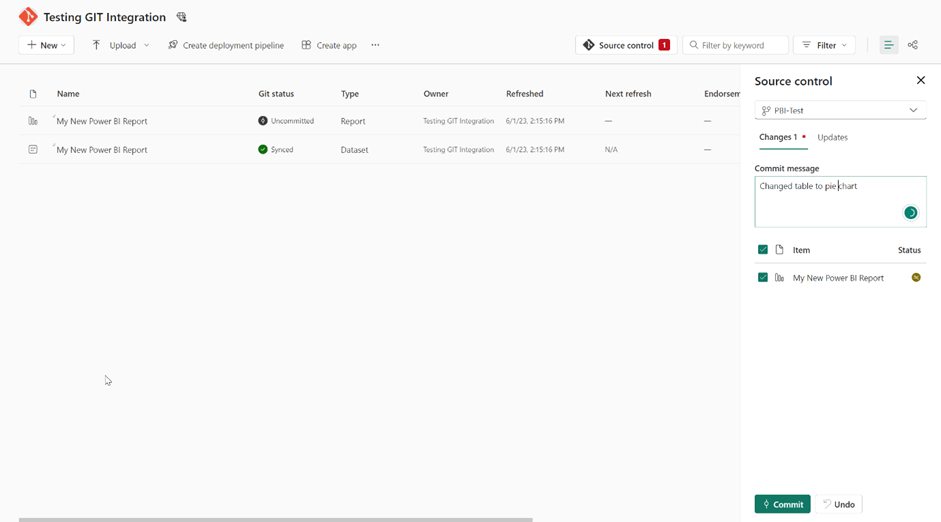
After committing we can see what is changed in Azure DevOps:
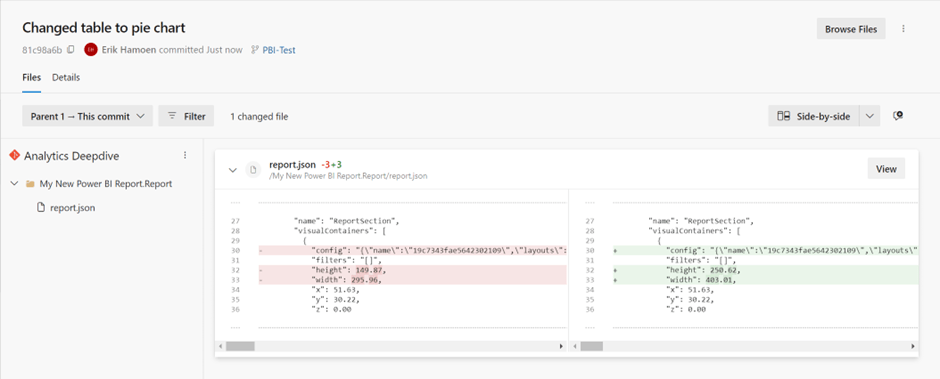
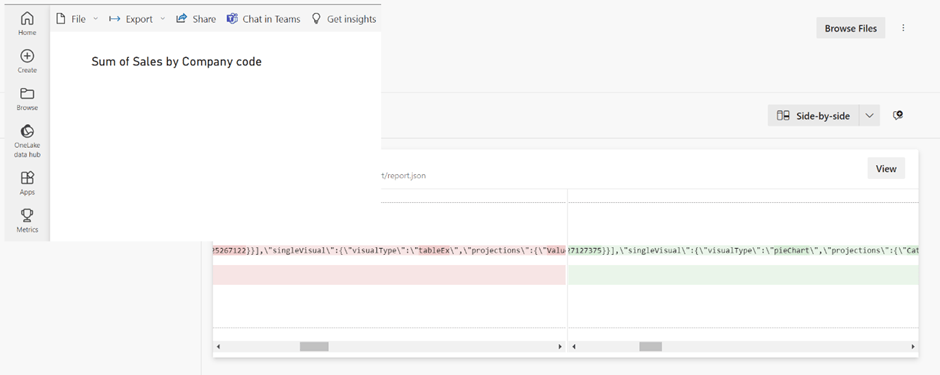
You can see the visualType got changed from TableEx to pieChart:
Now let’s say that management is very happy with my single pie chart report, and we want to push it to the production workspace. We make a new pull request, to push the report to the main branch:
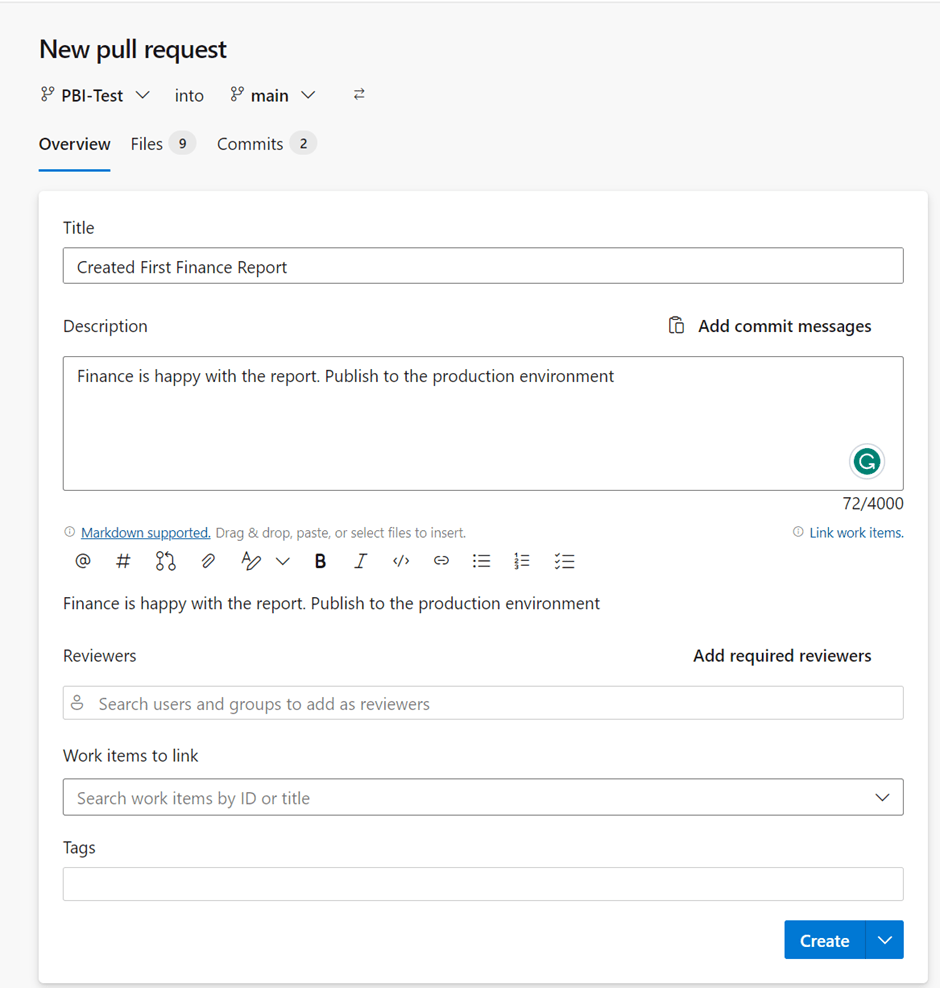
In the Files (9) and Commits (2) tabs, we see what we’re pushing. For example, in the commits section, you’ll see the two commits we made in our test branch. Those commits will be added to the main branch:

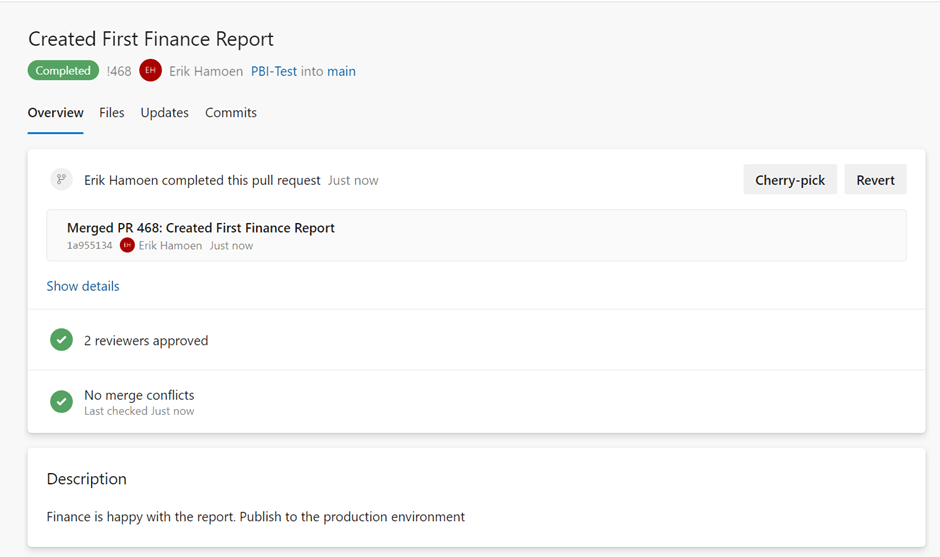
And if there are no merge conflicts and a second user (in our case) also approved the pull request, you get a nice confirmation:
So, let’s go back to Power BI, but now to our Production workspace. Here we’ll see a new notification from Git, that there are two updates:
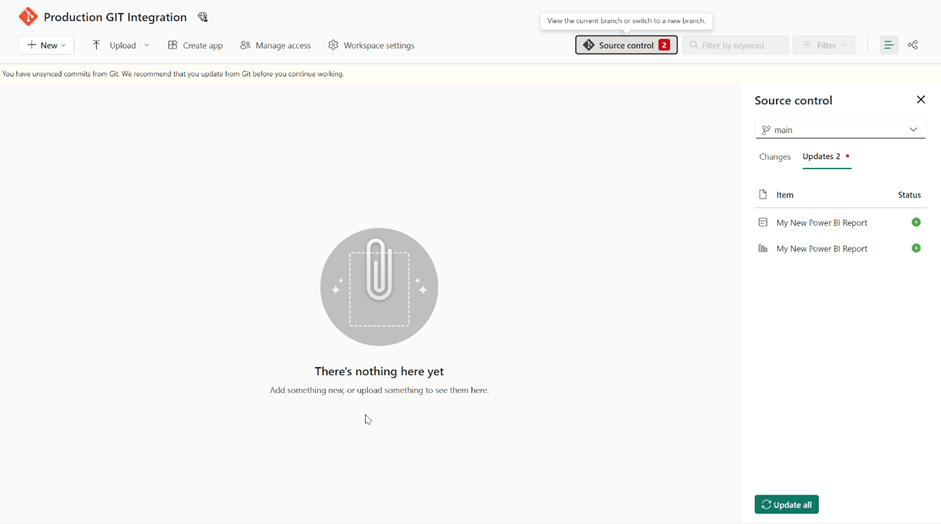
If we select the Update all, those two items will be added to our workspace. But please note: Git doesn’t store the data from your data model, so after updating, you need to refresh the dataset first. But that’s it! Now imagine when the update for the PBIP files comes out. Multiple people can work on the same report in their own branch, and after completing the work, push the work back to the main branch.
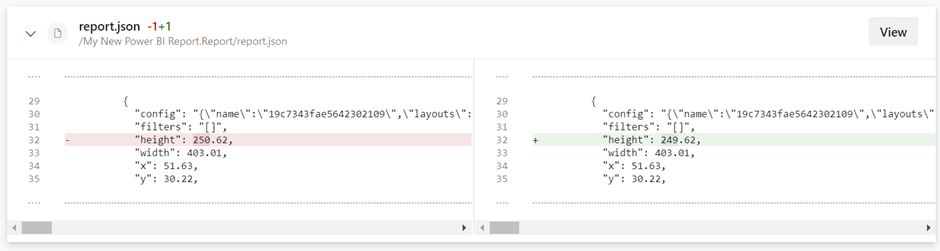
Now, if two people worked on the same visual in their own dev branch and then push it to Main, it will cause a merge conflict:
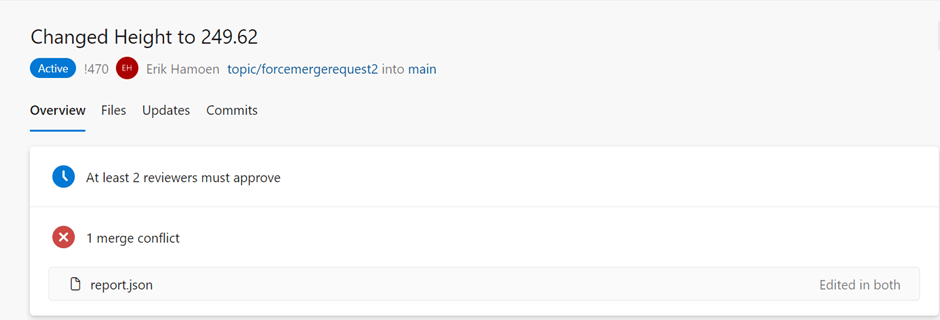
In this example, two people changed the height of a visual so Git doesn’t know which one to keep and will ask you to pick one:
Now there are many different branching strategies, so use your preferred search engine, search for branching strategies Git, and pick one that suits you and your team the best and enjoy Git implementation with Power BI.
Take care.
 Side Quests
Hi, thanks a lot for your article !
I have a question about managing git / pbip integration that i understand clearly coupled with PBI deployment pipeline feature (Dev, Test, Prod).
But in a project i have 4 environments (dev, int, qa, prod) and faced to a problem to manage it with different branch (one branch for dev workspace, other one for int workspace who is the dev of the deployment pipeline feature).
In the Int workspace, changing the dataset to target the correct database updates the source code (the .bim file)…
Do you have a idea to manage that ? Is there a possibility to not hardcode database in source code ?
Thanks !
LikeLike
Hi Stephane,
I haven’t worked with the combination of PBI Deployment pipelines and Git integration myself, but I came across this amazing blog post by Jihwan Kim: https://jihwankimcscp.wixsite.com/supplychainflow/post/pbi-version-control-with-git-integration-pbip-deployment-pipeline-what-setup-is-good-to-go
He did some other posts about the Git integration and Pbip files as well:
https://jihwankimcscp.wixsite.com/supplychainflow/blog/tags/version-control
Hopefully this will help you!
LikeLike