Experimenting with Power BI has always been a lot of fun to do. Recently I tried the barcode scanner for Power BI Mobile, and a bit longer ago I tried the preview of “Data in space”, an AR implementation of Power BI. When Microsoft announced the preview of the NFC Tag support for Power BI Mobile, I was very excited! So I ordered a couple NFC stickers and started testing!
Introduction
Imagine a factory with a production line, with multiple machines. You can put a NFC tag on those machines, bind your report to that specific tag and you get the details right away. Is this the most useful thing to do? Probably not, but you need to do something!
So here is my “production line”:

Now, I have two reports, one that shows how many runs the machine did, and one that shows the inspection history:
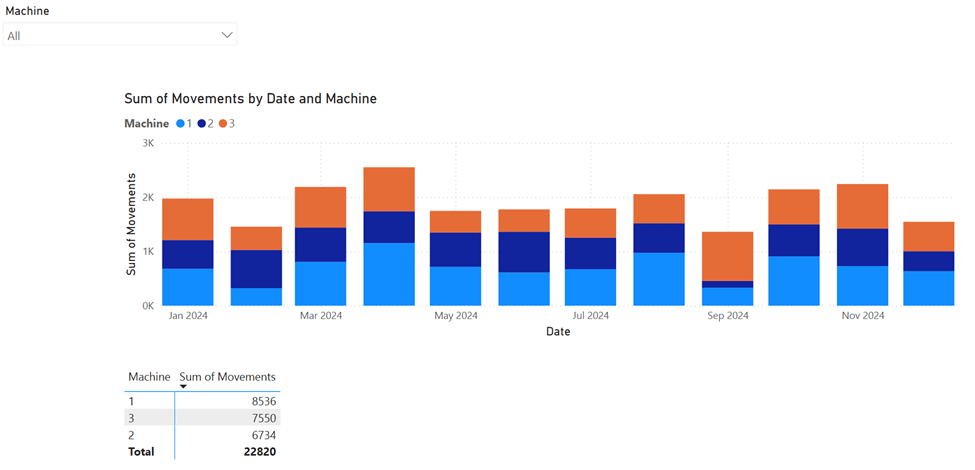
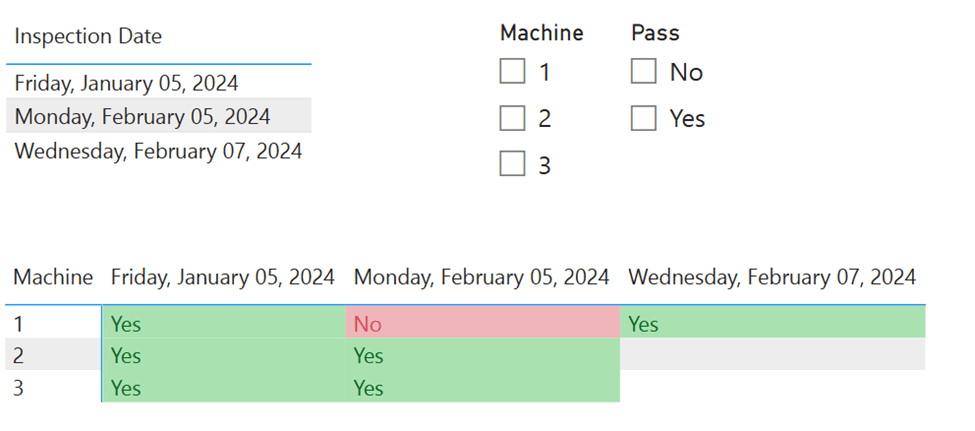
Register a Power BI report to a tag
To add a report to the tag, you can simply put the three dots in the top right corner, and select register to tag:
The screen you see is like this:
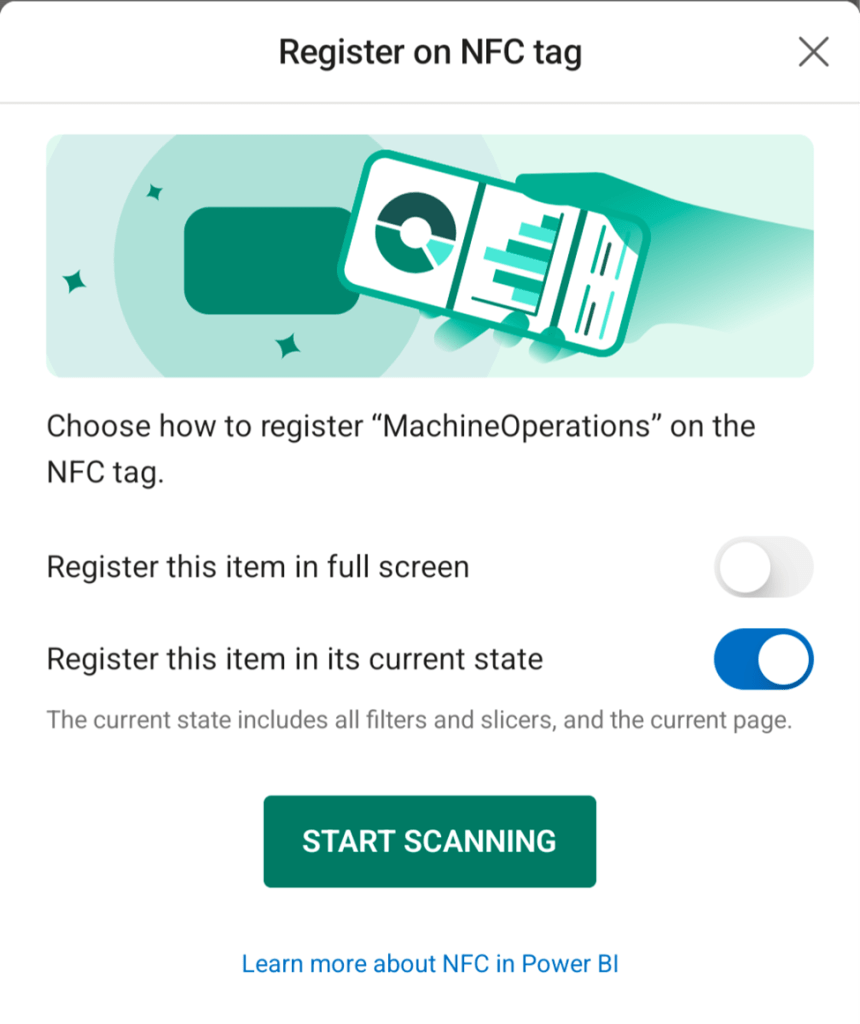
So in my case, I keep the current filter selection on. Then I used my four tags to create the following overview:
- All movements of all machines
- All movements by Machine 1
- All movements by Machine 3
- Inspection Report
Scanning the NFC tags
In this video, I scan the four tags one by one, it opens the reports pretty fast!
Now, what if you don’t have access to the report? Or what if the report is filtered on a specific item that you are not allowed to see because of row-level security? You can see that in the next video, where the user can only see machines 1 and 2 of the operations report (which makes tag 3 empty in the beginning) and doesn’t have access to the inspection report (Tag 4).
Wrapping up
It’s very nice to see those small features working very good inside of the Power BI ecosystem. Maybe I’ll add a tag to my laptop that leads to my CV in Power BI 😉 The example I showed above is maybe not the best one, but it gives a nice idea of how this can work. But what about retail stores? As a manager you walk through the store, scan the tag in one aisle and get to see everything about all the products there. Or you connect a real-time report about your production robot, showing the current status while it keeps operating. There are plenty of (more useful) opportunities!
Take care.
 Side Quests