Intro
Semantic Link (And Labs) have existed for quite some time now in Fabric, but I never made time to start using it. But I’m trying to change that this year, and just before writing this blog, I finished my first script using Semantic Link!
Context
In my work, I aim to develop a single data model that serves as a foundation for multiple reports. This way, I also have to develop my measures only once and can then re-use them at all other reports. But as the model grows, you might find out that you didn’t always made the right decision in the naming for your measures. For example: If you have a Sales as your Fact Table, you probably want to know how much sales you made, so the first measure is easy: $ Amount = sum(‘Sales’[Amount]).
Later, we add the fact table ‘Purchase’ to our model. And of course, you want to know what the total amount of Purchases was. But [$ Amount] is already taken. Thus, you make [$ Purchase Amount]. But it would look so much better to change [$ Amount] to [$ Sales Amount], right?
But here’s the problem:
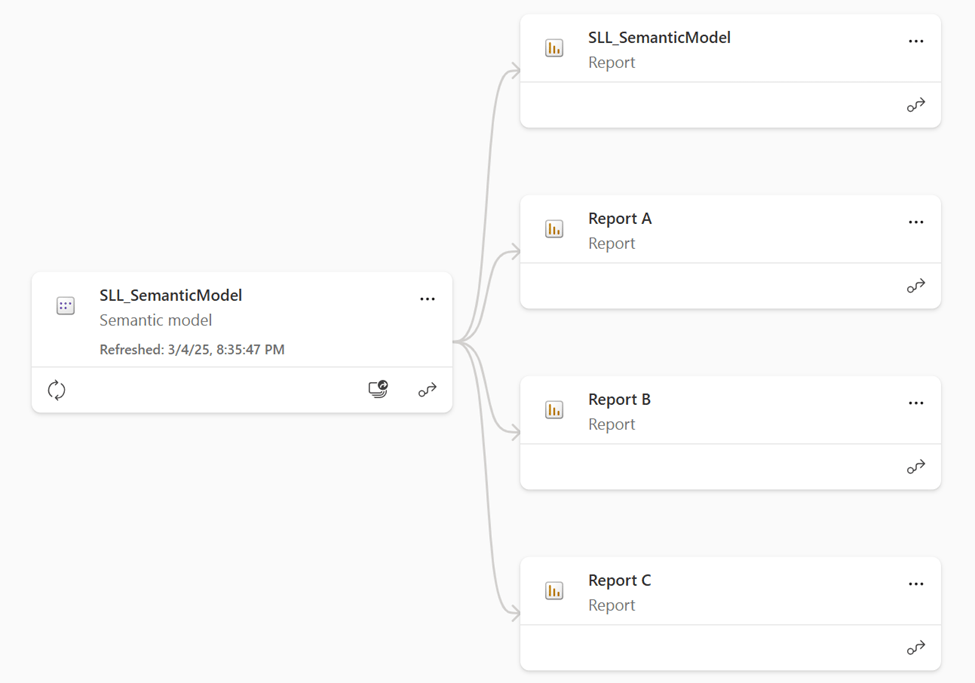
Three reports have already been created, and they probably use the [$ Amount] Measure. If we change the name from [$ Amount] to [$ Sales Amount], all of our visuals will be broken! And fixing that was quite time-consuming: downloading the report, changing the measure everywhere, checking bookmarks, and filtering. But using Semantic Link, it’s so much easier!
Using Semantic Link
Okay, so first let’s change the name of the measure, and see the result:
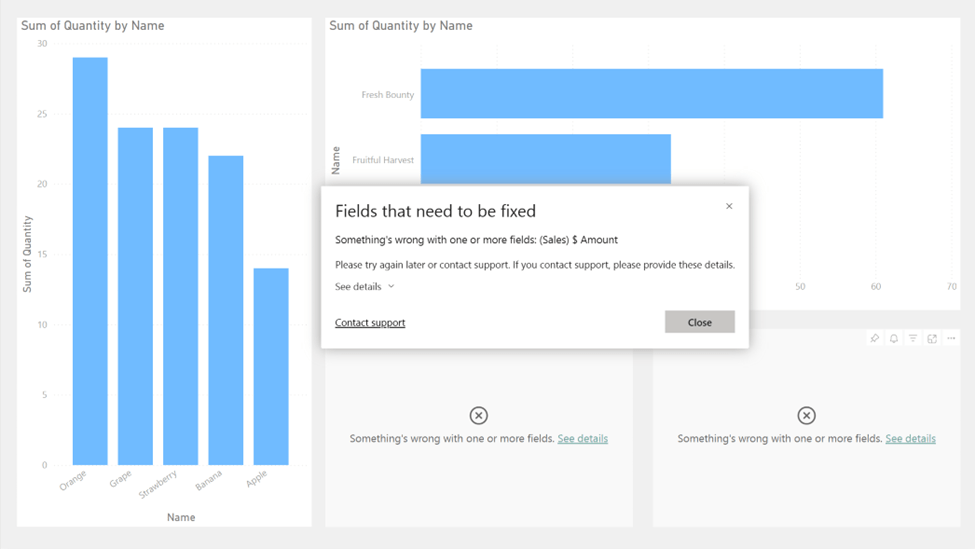
As you can see, two of our visuals don’t work anymore because of the change.
Please note, that this blog is heavily inspired by the blog of Kurt Buhler, and by using the scripts of Michael Kovalsky.
Now, let’s solve it! First, we create a Notebook and install Semantic Link Labs:
!pip install semantic-link-labs
After we installed Semantic Link Labs, I want to see all the reports in my (given) workspace:
import sempy
import sempy.fabric as fabric

# Define the workspace name variable
workspace_name = "Semantic Link Demo"

# List reports in the specified workspace
reports_df = fabric.list_reports(workspace_name)
reports_df
I was looking for a piece of script that could give me all the reports (in any workspace) linked to a given semantic model, but that I couldn’t get to work. If you just want to use the workspace in which your notebook is running, you can also use
reports_df = fabric.list_reports()
This results in the following dataframe:

For the next step, I only need the report name’s, and put them in a list:
# Extract the 'Name' column and convert it to a list
report_names = reports_df["Name"].tolist()

# Print the list of report names
print(report_names)
Which gives me this result:

And next to retrieve the report.json file, which we are going to modify:
# Import libraries
import sempy_labs as labs
from sempy_labs import report as rep

# Retrieve the report JSONs
CurrentJson = {}
for report_name in report_names:
    CurrentJson[report_name] = rep.get_report_json(report_name)
In the report.json files, we want to change $ Amount to $ Sales Amount:
import json
# Replace fields in the report JSONs
new_jsons = {}
for report_name, old_json in old_jsons.items():
    new_jsons[report_name] = json.loads(
        json.dumps(old_json)
            .replace("$ Amount" , "$ Sales Amount")
    )
print('Replaced fields in the old JSONs')
Now we want to save this in all of our files, but be careful. Make sure to have a back-up ready somewhere in case you made a mistake. (For example: if you make another cell that replaces $ Sales, with $ Sales Amount, you would get $ Sales Amount Amount (because there already was Amount in the name).
To save this in the files:
# Update the existing reports using the modified JSONs
for report_name, new_json in new_jsons.items():
    rep.update_report_from_reportjson(
        report = report_name,
        report_json = new_json
    )
    print(f"Updated report: {report_name}")
Giving us this result:

If you now look at the report:

It works again! Now it’s good to note: I first tried this with € Sales Amount, but for some reason, that didn’t work. If anyone knows why, I would be very happy to understand!
Wrapping up
Now, I would like to point out that I’m not a data engineer, or scientist, and I’m definitely not a PySpark expert. Just a lucky man with access to a Fabric capacity. And it’s great to see what you can do with available resources and a little bit of help from Copilot (for writing the code). This code is definitely a good start in my journey with Semantic Link and Semantic Link Labs and I’m really looking forward to see what else we can do!
Take care.
 Side Quests