It’s been 2 years (and a little) since I wrote about Data Activator. Back then, it just got to public preview, and quite a few things have changed since! For demo purposes, I have a report about an adventure park that generates random data. I was curious to see if I could implement the following scenario:
In my park, products are sold. That means I also need to buy products. I use a stored procedure that picks random numbers for sales and purchases. But what if we could trigger purchases only when a threshold is reached?
Setup
To do this, I had the following setup:
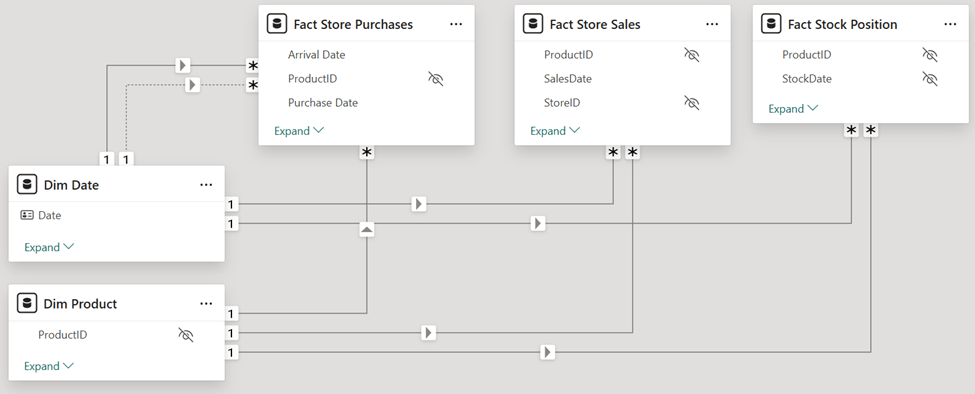
In Stock Position, we summarize all the store sales transactions from the previous day, and add a new row for each purchase:

That way we can update the stock level and if we still haven’t enough, order more.
Before we go to the Activator part, I need to have something for Activator to track. There are quite some standard data sources that you can connect to, but I’m using a simple Fabric SQL database, that one is not one of them.
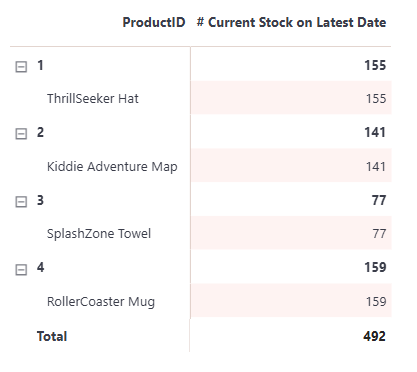
In Power BI, I created a measure that checks the latest stock of each product:
# Current Stock on Latest Date =

VAR LatestRow =
    CALCULATETABLE (
        TOPN (
            1,
            'Fact Stock Position',
            'Fact Stock Position'[StockDate], DESC,
            'Fact Stock Position'[IndexNo], DESC
        ),
        ALLEXCEPT ( 'Dim Product' , 'Dim Product'[ProductID] , 'Dim Product'[Product])
    )
RETURN

SUMX ( LatestRow, 'Fact Stock Position'[CurrentStock] )
And added that to a matrix:
After publishing to the service, you can view the report to create an alert:
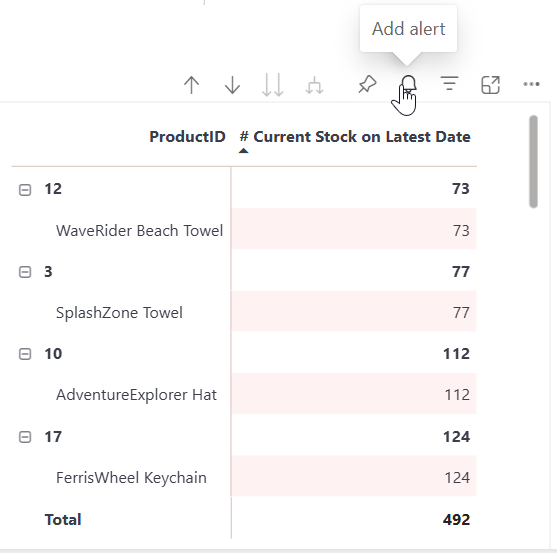
Once you click it, it will directly create the alert:
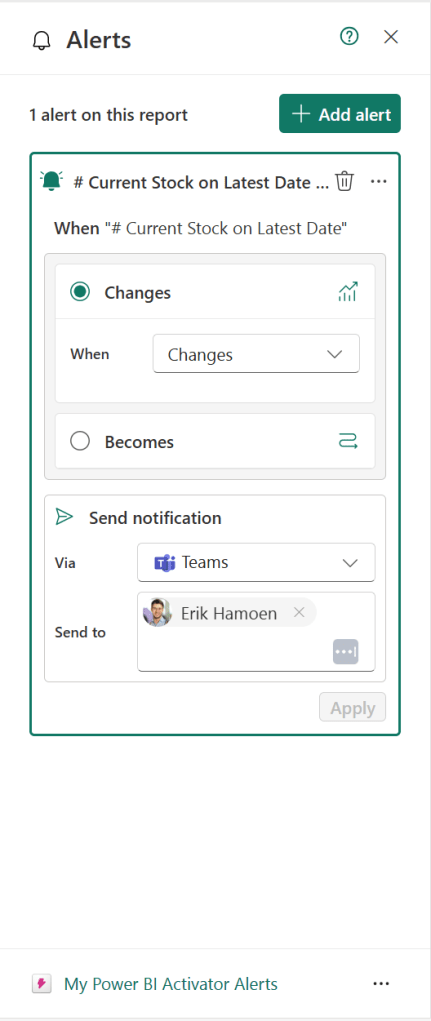
Here you can change some settings, but I want to open it in Activator itself! If you press the ellipses on the bottom right, you can change the location and “Open in Activator”
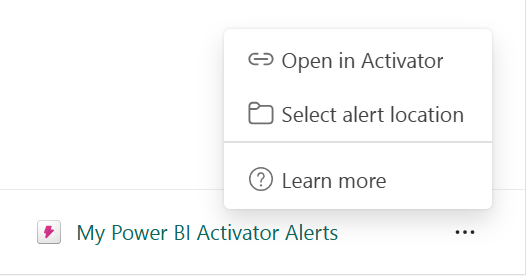
And now it’s time to actually look at activator!
Actual Activator
Here’s my definition for Activator to work on:
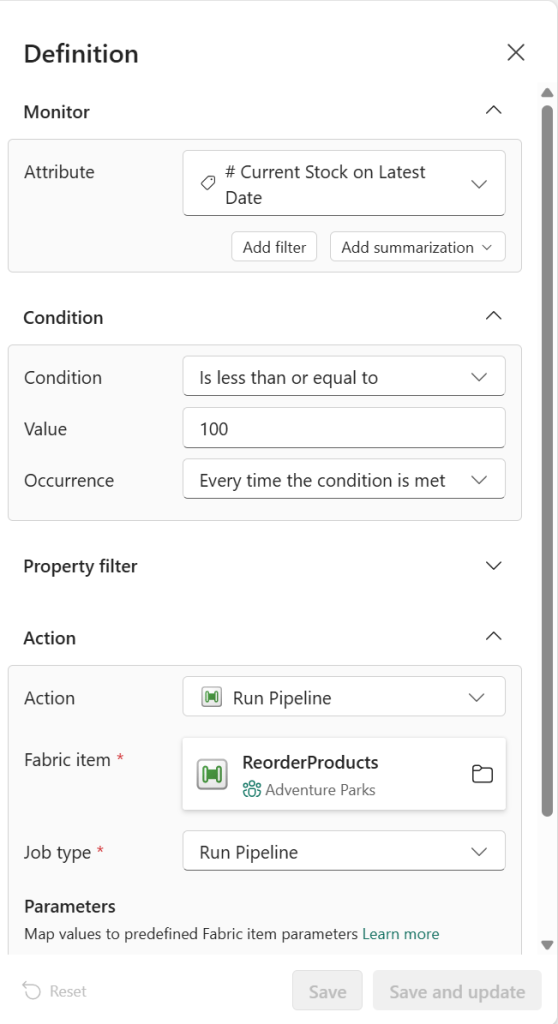
Whenever the value is below or equal to 100, it should run. Please note, before I had the condition on “becomes less than or equal to …” That’s a tiny difference with a lot of impact. When the value was already below 100, it wouldn’t do anything. Another thing is that the value needs to be hardcoded. My products have different “minimum stock levels”, but I can’t set a dynamic value here. To do so, you can create a measure that checks if the current stock is higher than the minimum stock level and then make a rule on that measure. Like I did here: https://sidequests.blog/2020/12/09/variable-thresholds-for-your-power-bi-alerts-with-a-streaming-dataset/
Now, my action is a Run Pipeline action:
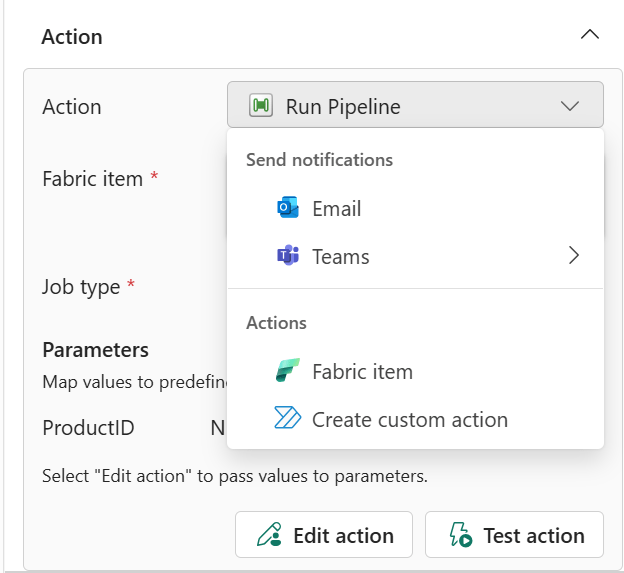
In this pipeline, the only thing I have is a stored procedure activity that runs an SP that generates purchase data and also updates the stock table. My SP needs a ProductID (to “purchase” the correct product). To do that, I create a pipeline parameter:
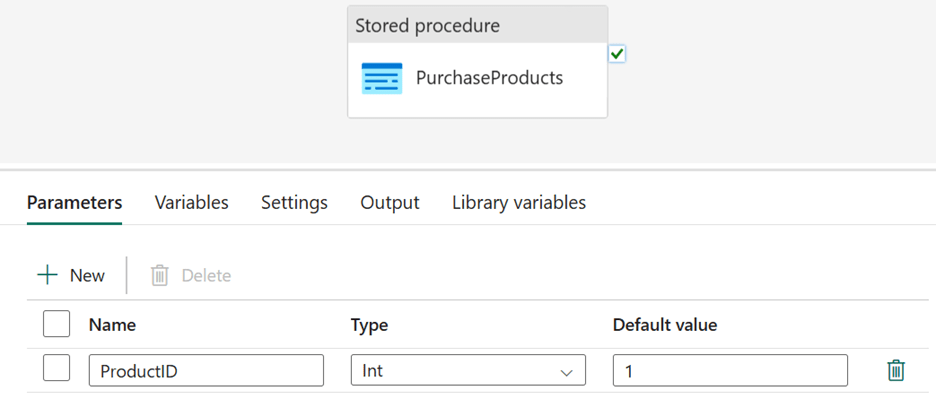
And then in the settings of my stored procedure:
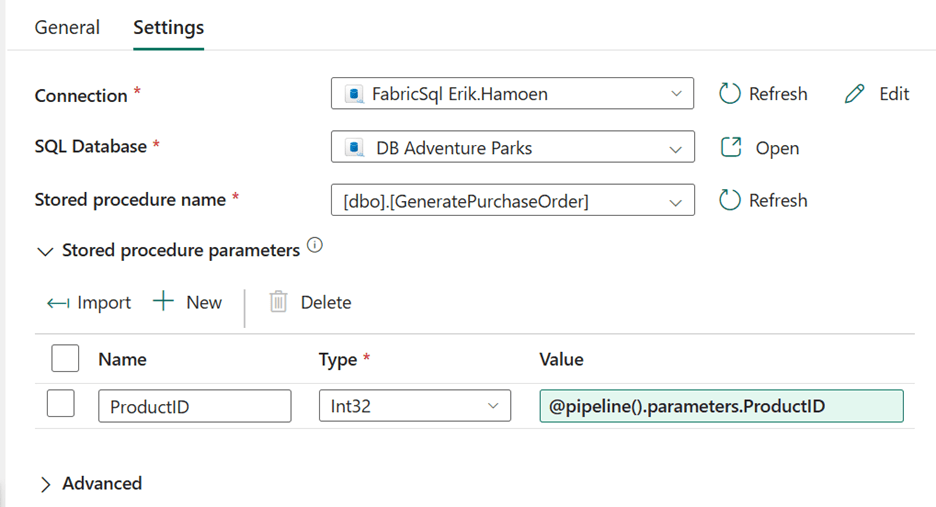
But how does it get this ProductID? Back to Activator, all the way at the end of our action:
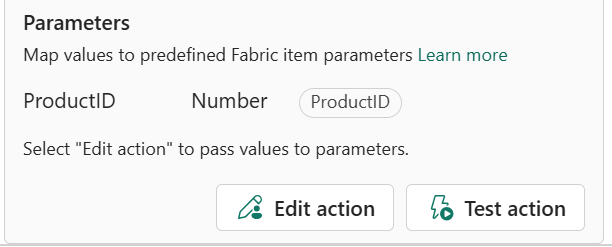
And here I can add the product ID property to a custom parameter:
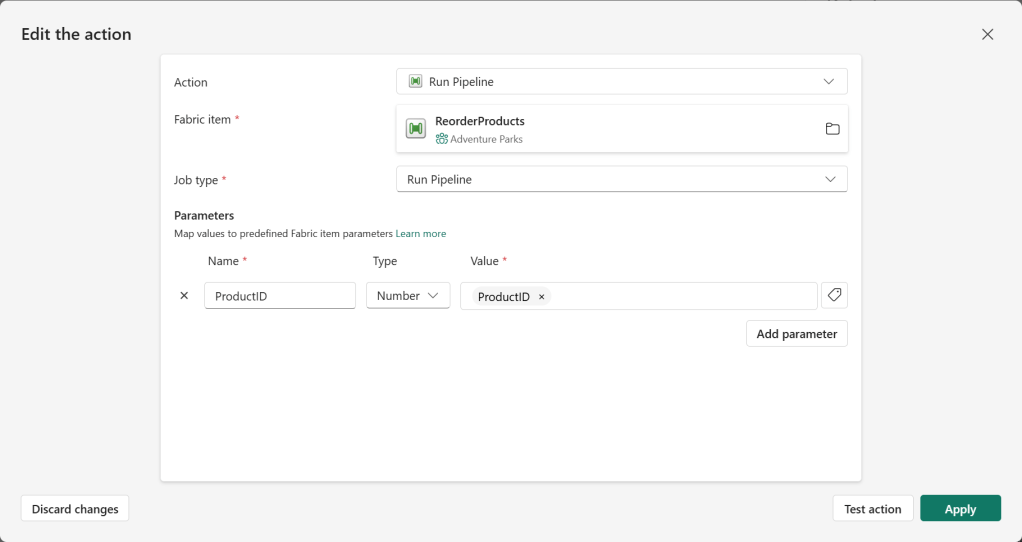
And here you can see the result:
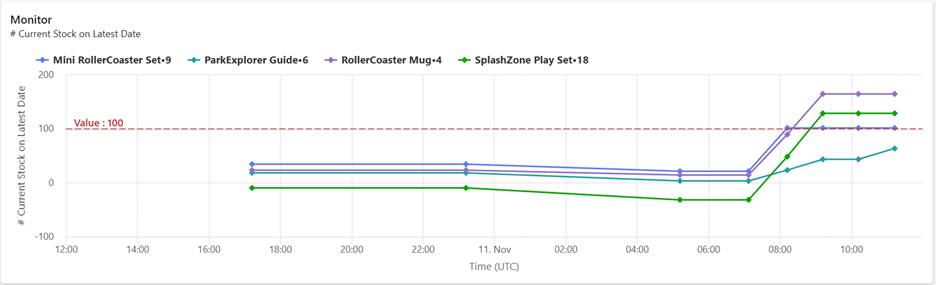
For a couple of hours, the data remained the same. Now note that if a value doesn’t change, Activator doesn’t act on it. If you notice the green line, you can see it goes down a bit, which means sales have been made. Later, the activator ran and was triggered. Making sure we bought new products.
Also, in this view, you can see that my ParkExplorer Guide will be triggered again at the next round, since it’s still below 100. And that’s it! That’s how you react to data, before even seeing the changes.
Wrapping up
A couple of things I want to inform you about:
With my demo, I wanted to show you a way to automatically run processes within your organization. Of course, I didn’t actually buy products, but you can run a Power Automate script, or a notebook with API’s, to really order new stuff for your logistics warehouse (Better include an approval as well 😉).
As mentioned earlier, make sure you select the correct condition trigger! It took me quite some time to figure out why it didn’t work as expected. In the beginning, I also had a refresh semantic model action in my pipeline. But when 14 products are being ordered, it’s also trying to refresh 14 times.
And with that, take care!
🚀🚀
 Side Quests